🃏 Track
One card. Two gestures.🃏The deck
Home opens on one card: the next episode across every show you follow, ranked so what aired today comes first. The show after it peeks beneath.
👆Swipe left to mark
The card follows your thumb, an amber ring draws as you go, and past the line the clapboard slams, the episode is marked and the next card rises. A quick flick works too. Undo sits at the bottom for a few seconds.
✋Tap to rate
Tap the card and five reels fan out along it. Tap one, or slide across and lift on the one you mean. Rated and marked in one go, and holding the card to read it never rates it.
↔️Turn the deck
Swipe right to move to the next show. "Up next" under the card lists the rest, and the Home card says when tonight's episode is a standout.
🌈Poster-tinted
The card edge and wash take their colour from the show's poster. The app dresses for what you're watching.
☕Caught up
Nothing to watch? The card slot shows the next show to air, in its own colour, with the day and time; under it, what's coming and anything on your list you haven't started.
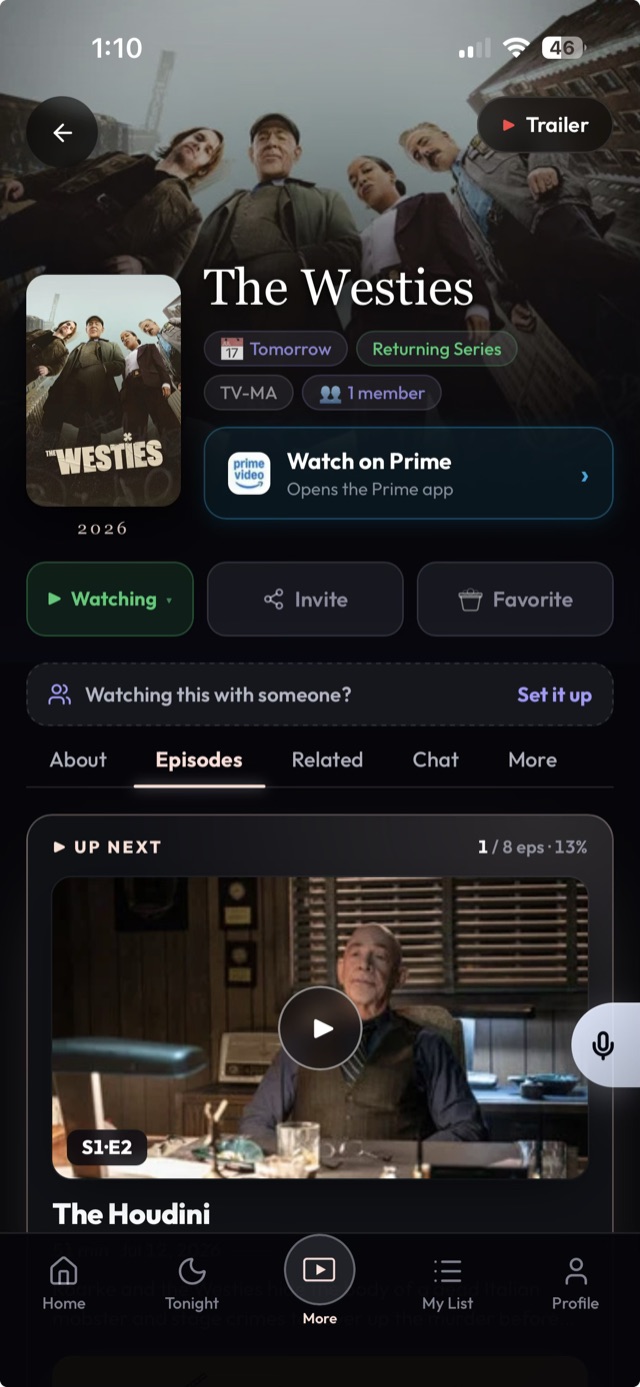
📺 The show page
Leads with the episodes. Everything else is a sheet.⭕Rings
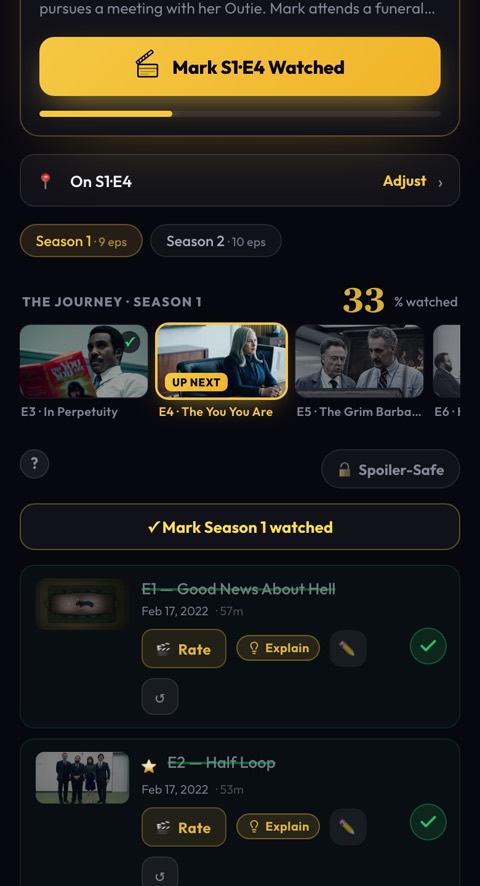
Every episode is a ring. Tap it to mark it watched. Watched rings fill amber and recede; the next one waits with an amber edge.
🌊Scrub
Press a ring and drag down. The rings fill in a wave and a chip counts "Mark 7 episodes." Release to log the whole binge.
⏪Rewind
Tapped too far? Tap a filled ring and your position moves back to it.
📊The progress line
"S2 · E7 next" and "18 / 40" under the title, with a two-pixel bar. Season pills switch the list.
⋯One More sheet
About & cast, ratings & reviews, where to watch and remove - one door, nothing stacked above the episodes.
📡An honest status line
"Returning · Thursdays on Netflix" or "Ended · 3 seasons," from real air schedules.
📍Where it's playing
Streaming is per season, and NextEp knows it. "Season 7 is only on Philo." One sheet shows every season on every service, with yours lit. Add the service, or park the show and get it back the day it lands on one of yours.
✨The quality map
Each unwatched ring's edge brightens with the episode's community rating, so a season's sag or peak reads at a glance. Standouts wear a small amber dot. Tap the episode for the number.
🎬 Finishes & ratings
Every ending gets one good moment. Never a pile of them.🎞️Season wrap
Finish a season and the show's colour floods the screen with one line: "Season 2, done," and your card's stamp row lights the season you just closed. One tap reaction, then it's gone.
🏁The Final Cut
Finish a series and it's "That's a wrap": five reels to rate the whole run and a quiet record of it - seasons, episodes, hours, your dates.
🃏The Final Cut card
One card per show you finish, yours to keep: the poster in the show's colour, your rating, your run ("binged in two nights", "a two-year slow burn"), a stamp per season and one line you write on it. No packs, no rarities. They live on your profile, numbered in the order you finished them, and share as a picture.
📡The Live wall
A public page of what people are watching, marking and finishing this week, with today’s Cliffhanger, Face-Off and Verdict cases and how the crowd did. Real shows, real people, follow them in one tap. See it live →
⭐Reels
One to five. Episodes from the deck, runs from the show page, the series at the end. Half the taps of a star widget.
🔕No confetti
No badges raining down, no three toasts stacked. One moment, then back to the card.
🌙 Tonight & alerts
Know what's on. Get told once.🌙Tonight
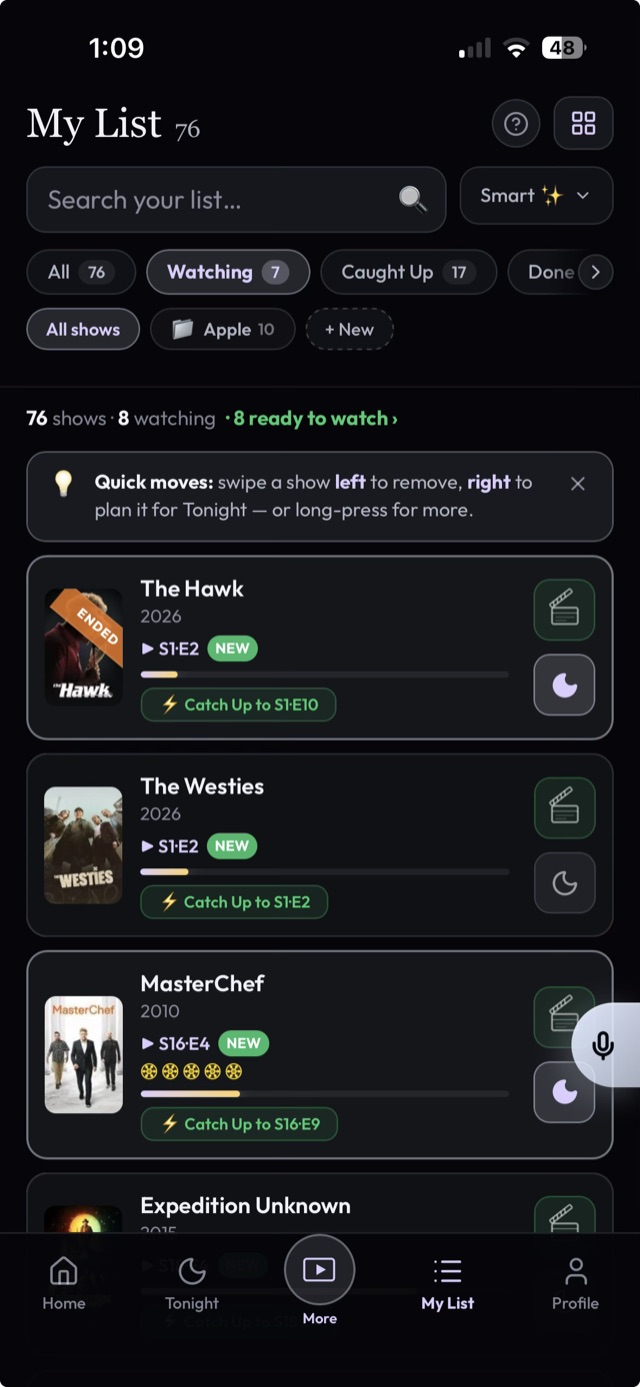
Line up what you'll actually watch this evening, separate from your whole list. After five the moon lights up if nothing's planned.
📅Upcoming
The next two weeks of your shows, by day, with real air times. Shows between seasons sit underneath with their usual slot, and move up the day a date is announced.
🔔Episode alerts
A push when a show you follow airs, once a day, in your timezone. Optional night-before heads-up. That's it.
↩️Returns
Finished a show that's coming back? Say "tell me when it's back" on the wrap screen and NextEp will.
🔍Search & Discover
One search box answers with your list, every show on TV, people and app pages at once. Discover browses by mood, genre and service.

🎛️ Optional extras
Off by default. Each one is a switch in Settings.👥People & Social
Follow friends. The Home card tells you when someone's on your episode, ahead, or behind. Share what you watch, or don't.
🪜Your run
Every show you finish climbs a ladder, Pilot to Hall of Fame. One rung at a time, kept on your profile.
🧩Daily games
Cliffhanger (guess the show from clues), Face-Off (higher or lower, two posters) and Verdict (one show, five gut calls, scored by how close you land). One round a day each.
💬The Aftershow
One discussion room per show, sealed episode by episode. Nobody sees a post about an episode they haven't reached.
💌Share cards
A finish, a rating, a wrap: one tap makes a card you can text to a friend. No account needed to read it.
🎁Wrapped & Rewind
Your year in TV, always current, one tap from a share card.
📦 Import & ownership
Bring everything. Keep everything.⚡One-tap universal import
Pull your whole history in, matched by title with ratings kept, from TV Time, Trakt, Letterboxd, IMDb or Simkl. Trakt's full data export (the ZIP) works as-is, every play at the right episode.
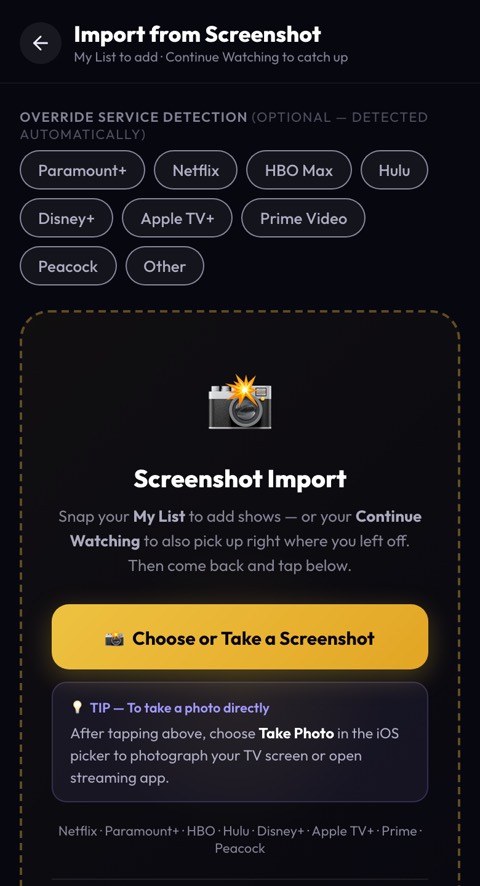
📸Screenshot import
No export file? Snap your streaming app's list and NextEp reads the titles off the screenshot.
🔗Plex & Jellyfin, hands-free
Paste a webhook URL and NextEp marks episodes as you finish them. Forward only, list only.
📤Export anytime
One-click JSON or CSV. Import once, never get locked in.
📲On the Play Store, or add to home screen
Android installs from Google Play. iPhone: Safari → Share → Add to Home Screen. It opens full-screen with push.
Never miss an episode.
Add your first show, or import your whole history in one tap, and it's on the card.
Free, no ads, and yours to export any day.