Free · TV only · no ads
Version 17 · out now

Never miss
an episode.

One card shows the next episode you should watch. Swipe left to mark it watched. Tap to rate it. That's the whole app, and everything else is one tap away if you want it.

No account needed to start. Your data is yours to export any time.
The NextEp Home card: the next episode of a show you're watching, with Watched and Rate keys underneath
Watched
Swipe left

The clapboard slams, the card moves on. Slating a take, not ticking a box.

Rate
Tap the card

Five film reels fan across the card. Tap one, or slide to the one that fits and lift. Binge Alert, All-Timer, you know the scale.

Next show
Swipe right

The deck turns to whatever else is waiting. Tonight's pick first, then the rest in order.

Not a mockup

This is the actual app.

Real screens, real shows. Three of them.

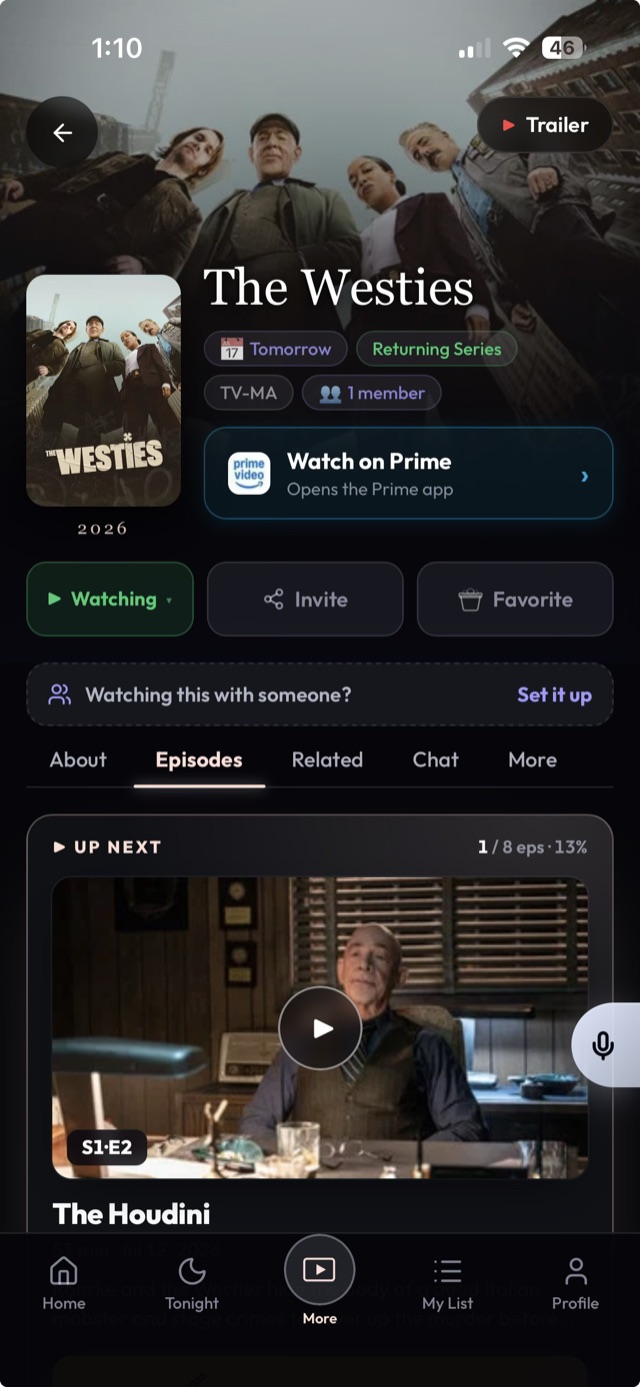
Home: the up-next deck
Home. One card, one gesture.
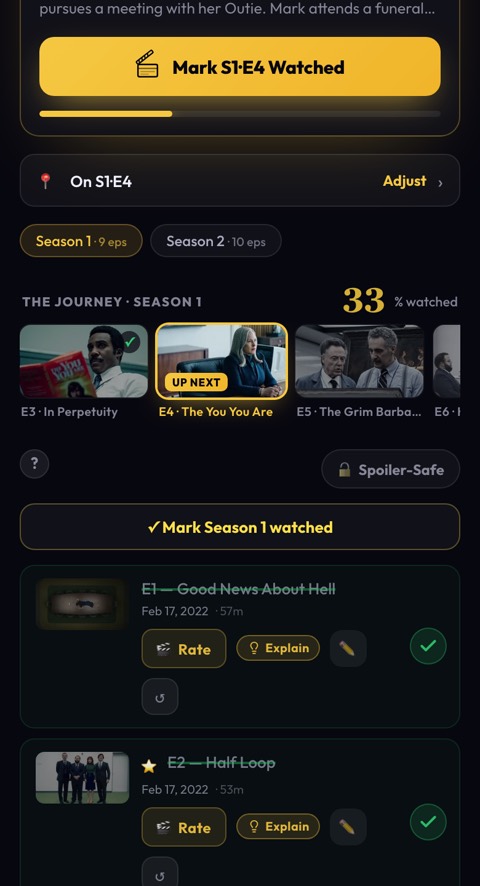
A show page with episode rings
The show page. Tap a ring, or drag down a whole season.
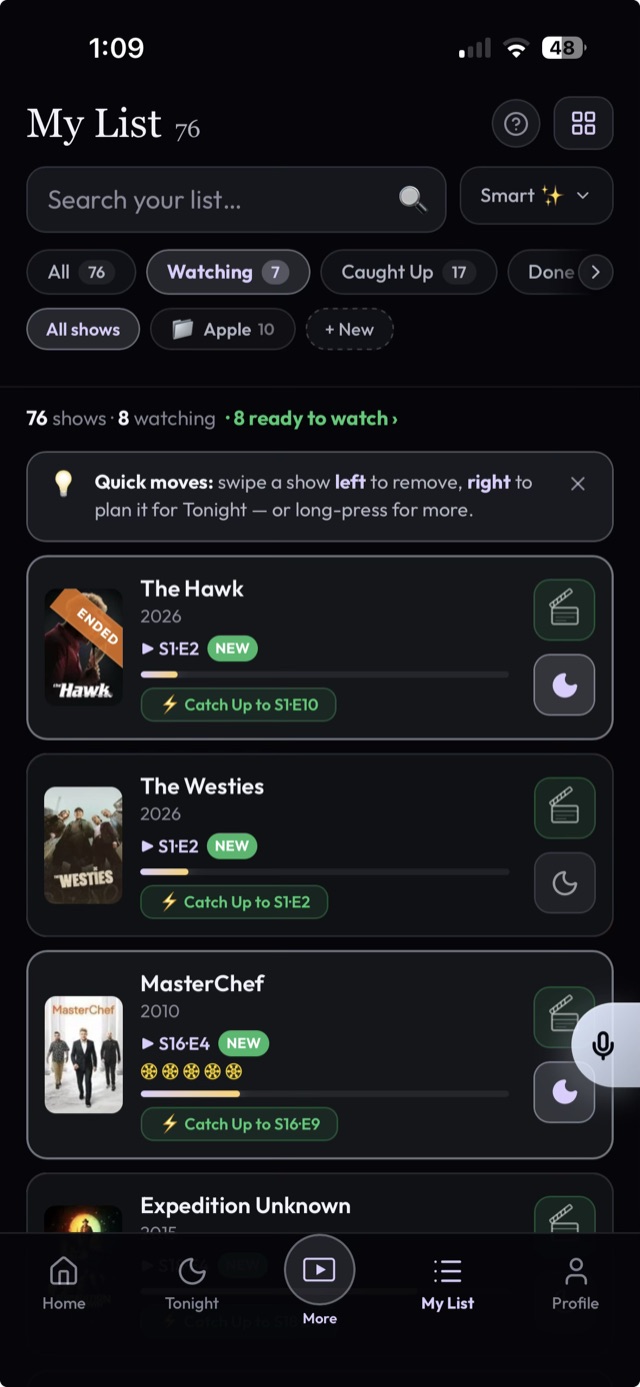
My List with a swipe-to-mark row
My List. Swipe a row to slate the next episode.
Coming from TV Time

Bring everything.
Keep everything.

Drop in the export TV Time emailed you. Every show lands on the exact episode you were on, ratings included. Nothing to clean up afterwards.

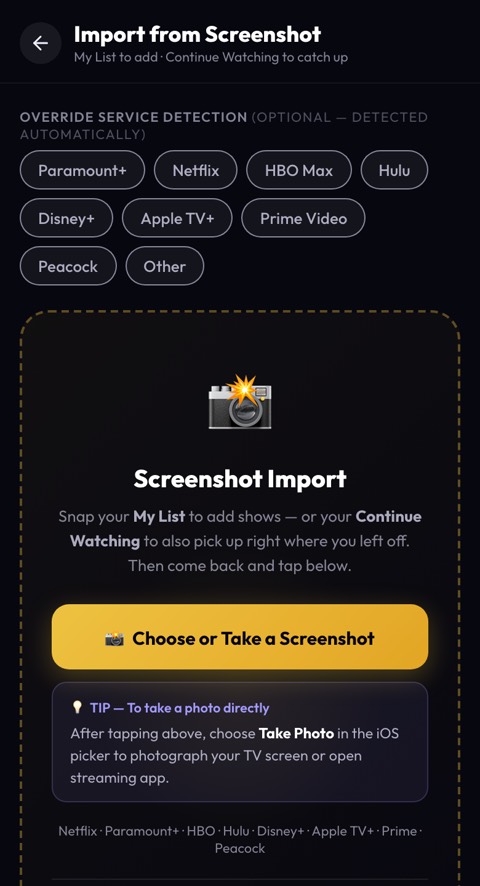
  1. 01Open NextEp, tap Import, choose TV Time.
  2. 02Pick the .zip they sent you. Or paste a CSV. Both work.
  3. 03Your list is on the card. Start where you left off.
97.8%of shows matched automatically
1 tapfrom file to first card
Import now
The import screen, TV Time selected
Live from the room

What it sounds like in there.

Real moments from real watching, pulled straight from inside NextEp. Some are sealed to where the room has watched. That's the point.

Off by default

Everything else is one tap away.

NextEp starts as just the tracker. When you want more, turn it on in Settings. Turn it off again, nothing else changes.

People Cliffhanger, the daily puzzle Face-Off The Aftershow, spoiler-safe rooms Episode reactions Wrapped, your year in TV
Home screen

Add it in three taps.

NextEp is a web app, so there's nothing to download and it updates itself. It looks and feels native once it's on your home screen.

01Open app.nextep.show

In Safari on iPhone, or Chrome on Android.

02Share, then Add to Home Screen

Chrome offers "Install app" from its menu.

03Tap the icon

Full screen, your shows, notifications if you want them.

Also on Google Play.

Never miss an episode.

Add your first show, or import your whole history in one tap, and it's on the card. Free, no ads, yours to export.

Start tracking

I'm a solo developer who got tired of TV trackers that feel like spreadsheets, so I built the one I actually wanted, then cut it back to the part that matters. No ads, no hidden catches, and your data leaves with you whenever you like.Jason, maker of NextEp